
Skip to content
MarketPilot AI
CreateContent, images, video and Campaign StudioPublishOne calendar, 11 destinations, client approvalsEngageInbox, customers, website chat and callsAdvertiseCampaigns on four networks, monitor and ad researchCreatorsDiscovery, outreach log and creator campaignsReportsSocial and ads reports, PDFs, share linksAI Agency DirectorPlans across every module with your team, and runs what you approve
IntegrationsPricing
Log inStart with a client website
Home

Product

CreatePublishEngageAdvertiseCreatorsReports
AI Agency DirectorIntegrationsPricingLog inStart with a client website
  1. Home/
  2. Features/
  3. Publish
Scheduling & distribution

Publish

One queue for every network you run.

Publish handles composing, approving, scheduling and shipping content across every connected channel — with per-platform previews and honest failure reporting.
Start free View pricing
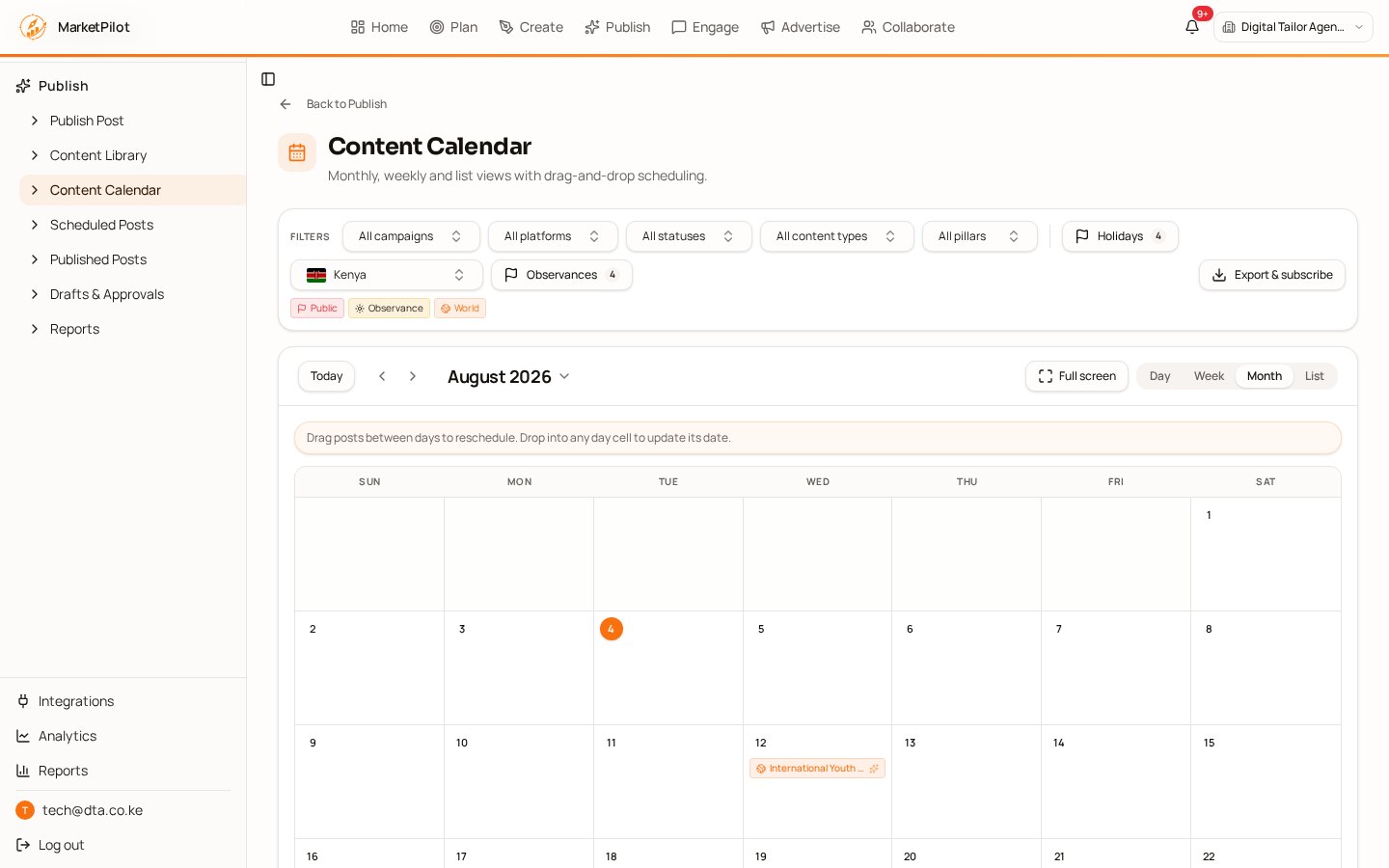
MarketPilot AI content calendar with scheduled posts and live social platform preview

Native previews and validation per platform before anything goes out

Approval links clients can review without a login

Automatic retries, permalinks and clear errors on scheduled posts

Inside Publish

Every screen in the Publish module — exactly what you get from day one.

Publish Post

Composer with per-channel captions, media checks, location and partner tagging.

Publish → Publish Post

Content Library

Every approved asset, searchable and reusable across campaigns.

Publish → Content Library

Content Calendar

Drag-and-drop calendar across all brands and channels.

Publish → Content Calendar

Scheduled Posts

Queue health, retry status and time-zone aware scheduling.

Publish → Scheduled Posts

Published Posts

Live permalinks with early engagement pulled back automatically.

Publish → Published Posts

Drafts & Approvals

Review workflows, comments and client sign-off before publishing.

Publish → Drafts & Approvals

Publish Reports

Volume, reach, engagement and best-performing formats per channel.

Publish → Reports

How teams run it

  1. 1

    Compose

    Write once, tailor per platform with live previews.

  2. 2

    Approve

    Route to internal reviewers or the client via a share link.

  3. 3

    Ship & verify

    Post, capture the permalink, and pull performance back in.

What changes

Fewer failed posts

Validation catches media and caption problems before the network does.

Client-ready process

Approvals and audit trail on every scheduled item.

Explore the other modules

CreateAI content studioEngageInbox & communityAdvertisePaid mediaCollaborateInfluencer marketingAnalytics & ReportsMeasurement

Where Publish fits

Connect the channels this module works with, compare plans, or read the latest playbooks.

Works with these integrations

  • Facebook integration
  • Instagram integration
  • LinkedIn integration
  • X (Twitter) integration

Next steps

  • Pricing & plans

    Compare every plan and what's included.

  • Solutions by use case

    AI scheduling, agency reporting, content planning.

  • All integrations

    Every social, ads, analytics and CRM connection.

  • Marketing insights blog

    Guides on AI marketing automation.

  • About MarketPilot

    Who builds the platform and why.

  • Product changelog

    What shipped recently.

MarketPilot AI

Your Marketing. On Autopilot.

  • Create
  • Publish
  • Engage
  • Advertise
  • Creators
  • Reports
  • AI Director
  • Integrations
  • Pricing
Market Pilot, Inc. · 131 Continental Drive, Suite 305, Newark, New Castle County, Delaware 19713, USA
© 2026 Market Pilot, Inc. Organisation and platform names and logos belong to their owners.
  • About
  • Contact
  • Blog
  • Privacy
  • Terms
  • Platform data use
  • Data deletion